Elephant

Your Korean workbook

Write sentences, practice translating, read numbers aloud — and get instant feedback. A study companion to use alongside your courses and Anki decks.

Planned public release: Q2 2026. Follow the blog for updates.

Try It Out

Enter Korean text to see Elephant's analysis in action

Tip: press Cmd/Ctrl + Enter to analyze quickly.

0 / 100

Current feature set

What you can actually do in Elephant right now

Learner-first capabilities come first. Classroom workflows are listed as optional add-ons at the end.

Learner core

Core practice

Sentence analysis workspace

Type or paste Korean text and watch analysis stream in with tokenization, vocabulary cards, translations, and audio.

  • Korean-first input with sample sentence prompts
  • Streaming analysis so feedback appears progressively
  • Clickable token map tied to detailed vocabulary cards
Live analysis
Tokens position mapped
Vocabulary card details
Audio voice playback
SentenceInput SentenceDetail SSE stream

Active recall

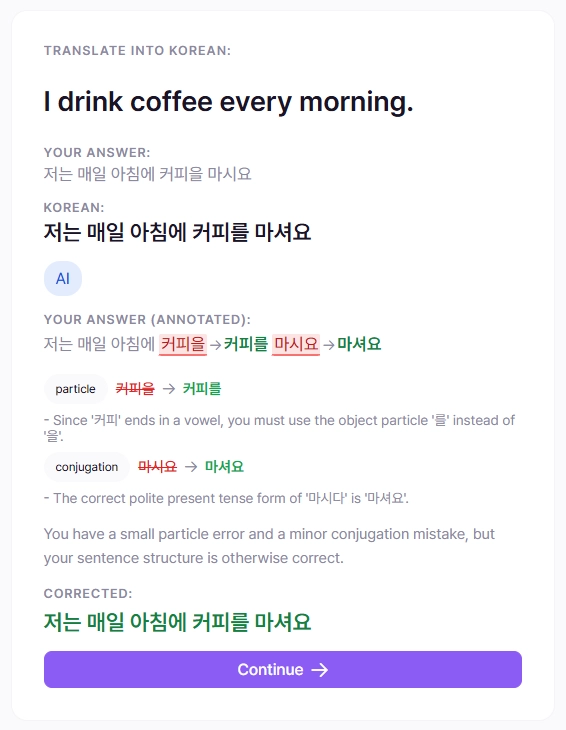
Translation drills with feedback

Practice translating into Korean, submit answers, then review corrections and keep a searchable attempt history.

  • Queue-based translation prompts
  • Correction display for your answer versus reference
  • History table and per-attempt review pages
Practice loop
Prompt translate to Korean
Submit timed attempt
Review correction history
TranslationTask Corrections History

Targeted grammar

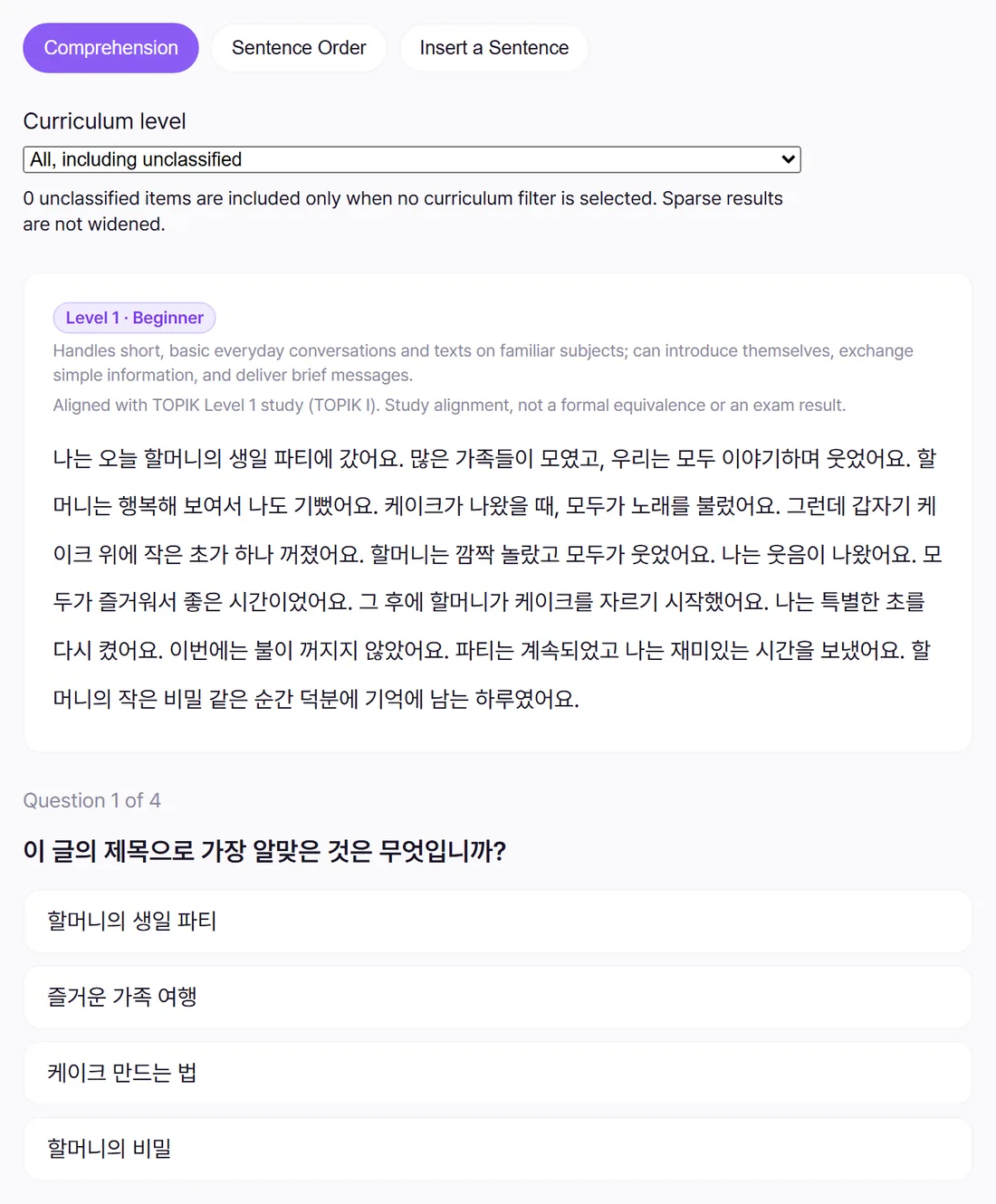
Grammar-focused fill-in-the-blank

Choose grammar points you have already studied and solve focused fill-in-the-blank tasks with hints and instant verdicts.

  • Grammar-point picker filtered to studied lessons
  • Contextual blanking with optional hint reveal
  • Immediate correctness feedback and next-item flow
Grammar task
Pattern picked from lessons
Hint toggle on demand
Result correct or retry
FITB Grammar setup Lesson linked

Speaking and reading

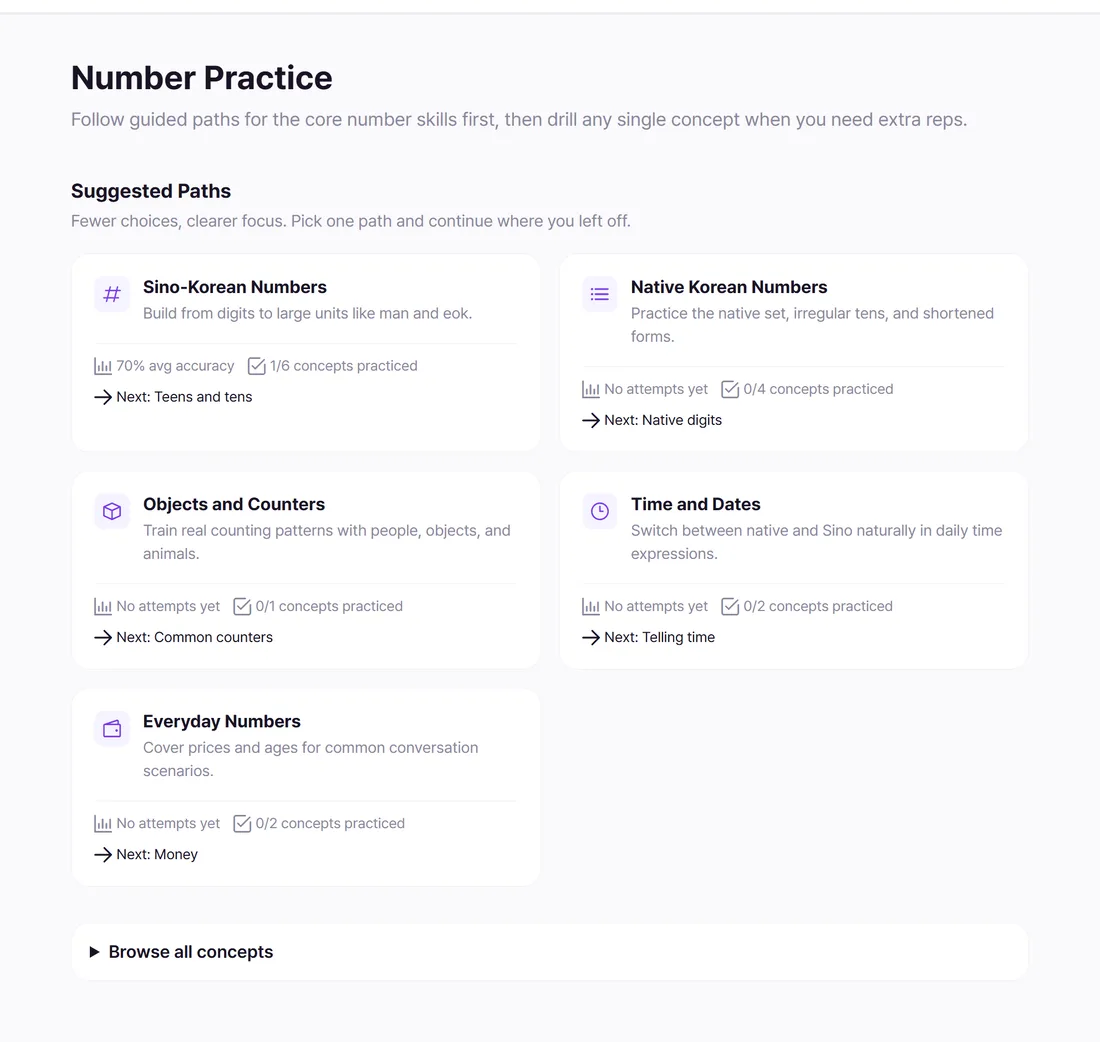
Number practice paths

Train Sino and native Korean number systems through guided paths for counters, time, dates, money, and age.

  • Suggested learning paths for core number skills
  • Concept browser for targeted extra reps
  • Progress and accuracy tracking per concept
Path overview
Sino core digit to large unit
Native core irregular forms
Everyday time, money, age
Numbers Concept stats Practice paths

Long-term memory

Vocabulary explorer + FSRS queue

Search and filter dictionary entries, add words to study, and track due reviews with FSRS stability and difficulty signals.

  • Level and part-of-speech filtering
  • One-click Add to study from vocabulary cards
  • My Vocabulary dashboard with due-now and growth tracking
Review readiness
Discovery search + filters
Scheduling FSRS-based
Progress stats + chart
Vocabulary My Words FSRS

Structured study

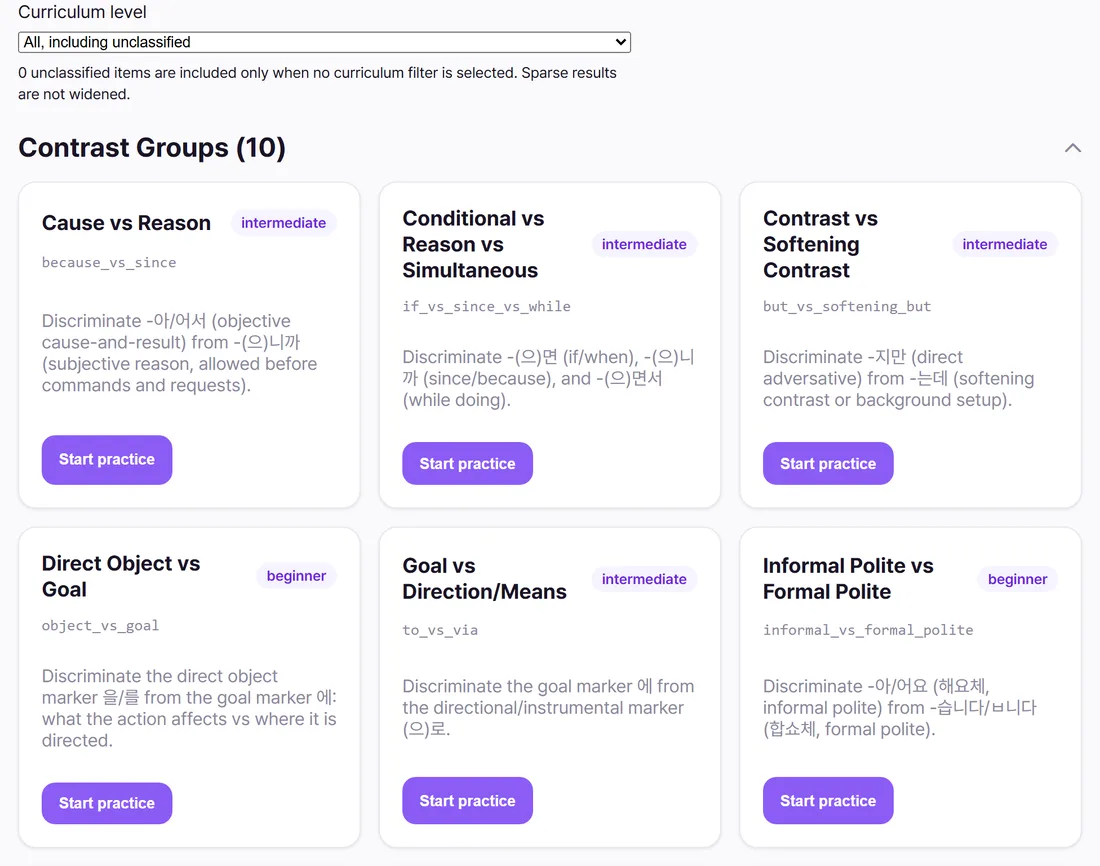
Courses and grammar progression

Browse provider courses, enroll, and track lesson completion to unlock grammar-aware activities.

  • Course catalog grouped by provider
  • Enrollment progress indicators
  • Grammar profile integration for personalized practice
Course flow
Catalog provider grouped
Progress lesson completion
Unlocks grammar tasks
Courses Profile grammar Progress

Optional classroom add-ons

Classroom add-on

Worksheets for assignment practice

Create, publish, share, and solve worksheets with deadlines, permissions, and submission review workflows.

  • Draft, published, and shared worksheet states
  • Join via link/token and role-based solving
  • Submission lifecycle with review screens
Worksheet lifecycle
Authoring create and publish
Access shared or public
Submissions start, submit, review
Worksheets Deadlines Submissions

Classroom add-on

Classes and group coordination

Run classes with join tokens or open discovery, track member roles, and organize learners around shared study spaces.

  • My classes and browse-open-class tabs
  • Join, leave, and role-aware class actions
  • Class detail and editing views for instructors
Class hub
Entry token or open browse
Roles teacher and student
Context connected study groups
Classes Join flow Role based

Practice Korean with instant feedback

✍️
Step 1

Write Korean sentences

Paste or type Korean text. Get vocabulary breakdowns with definitions and example usage.

🔄
Step 2

Practice translating

Translate sentences from your native language to Korean and get instant corrections.

🔢
Step 3

Read numbers aloud

Practice Sino-Korean and native numbers. Listen to correct pronunciation.

Frequently asked questions

What courses does Elephant officially support?
Right now, none. I currently support user-created courses and a simple overview so you can track your progress.
Is there a mobile app?
Elephant is a progressive web app (PWA), so it works on any device with a browser. Install it on your home screen for an app-like experience on iOS and Android.
How do I cancel my subscription?
You can cancel anytime from your account settings. Your access continues until the end of your billing period.

Built by someone learning Korean too

Elephant is a solo project. I built it because I wanted a tool that gave me feedback on my sentences and helped me practice — not just another flashcard app.

It's meant to complement your studies, not replace your teacher, your course, or your Anki deck. Use it alongside the tools you already love.

If you find it helpful, I'm glad. The subscription helps cover the costs of running it, and maybe someday lets me work on it full-time.